Yes, it is true that with new features and functions, we can reduce processing time in AL code. One method to achieve this is by using the SetLoadFields function. Read full article here
What this
SetLoadfields function does! lets check it out.
This function allows us to load specific fields from a table, improving performance.
In a practical scenario, we can work with the GL Entry table, which contains numerous entries in the system. By using the
SetLoadFields function and optimizing the loop, we can measure the duration it takes for the system to process the table during coding in AL code. Lets start
So I have created one test page here and added two actions button on it. see below
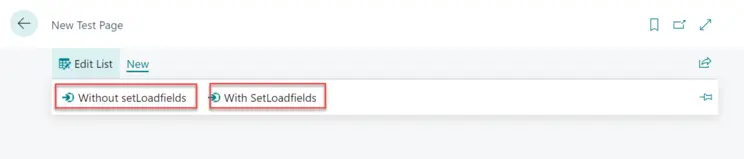
and to the coding side on those actions below is my code, so in here you see I have created two functions one is
CheckProcessingSpeedWithoutSetloadfields, which measure the loop time without providing the setloadfields functions in it. so in bot the functions I am trying to Check how many Unique posting date records are there in the GL Entry Table.
procedure CheckProcessingSpeedWithoutSetloadfields()
   var
       GLEntry: Record "G/L Entry";
       GLEntry2: Record "G/L Entry";
       PostingDate: date;
       UniquePostingDate: Integer;
       StartTime: Time;
       EndTime: Time;
       TotalTime: Duration;
   begin
       UniquePostingDate := 0;
       StartTime := time;
       GLEntry.Reset();
       GLEntry.SetCurrentKey("Posting Date");
       GLEntry.SetRange("Entry No.");
       if GLEntry.FindSet() then
           repeat
               if PostingDate <> GLEntry."Posting Date" then begin
                   GLEntry2.Reset();
                   GLEntry2.SetRange("Posting Date", GLEntry."Posting Date");
                   if GLEntry2.FindSet() then
                       repeat
                           UniquePostingDate += 1;
                       until GLEntry2.Next() = 0;
               end;
               PostingDate := GLEntry."Posting Date";
           until GLEntry.Next() = 0;
       EndTime := Time;
       TotalTime := EndTime - StartTime;
       Message('Total Duration without Setloadfields %1', TotalTime);

   end;

   procedure CheckProcessingSpeedWithSetloadfields()
   var
       GLEntry: Record "G/L Entry";
       GLEntry2: Record "G/L Entry";
       PostingDate: date;
       UniquePostingDate: Integer;
       StartTime: Time;
       EndTime: Time;
       TotalTime: Duration;
   begin
       UniquePostingDate := 0;
       StartTime := time;
       GLEntry.Reset();
       GLEntry.SetCurrentKey("Posting Date");
       GLEntry.SetRange("Entry No.");
       GLEntry.SetLoadFields("Posting Date");
       if GLEntry.FindSet() then
           repeat
               if PostingDate <> GLEntry."Posting Date" then begin
                   GLEntry2.Reset();
                   GLEntry2.SetRange("Posting Date", GLEntry."Posting Date");
                   GLEntry2.SetLoadFields("Posting Date");
                   if GLEntry2.FindSet() then
                       repeat
                           UniquePostingDate += 1;
                       until GLEntry2.Next() = 0;
               end;
               PostingDate := GLEntry."Posting Date";
           until GLEntry.Next() = 0;
       EndTime := Time;
       TotalTime := EndTime - StartTime;
       Message('Total Duration with Setloadfields %1', TotalTime);

   end;
The Second function name is
CheckProcessingSpeedWithSetloadfields, measure the total duration of the loop with the same functionalty which we did in first function.
Now let see the results and result is going to shock you 😲
When I run both the functions in separate window the duration of both the button's difference was nearly 50% 🤯
[caption id="attachment_586" align="aligncenter" width="900"]
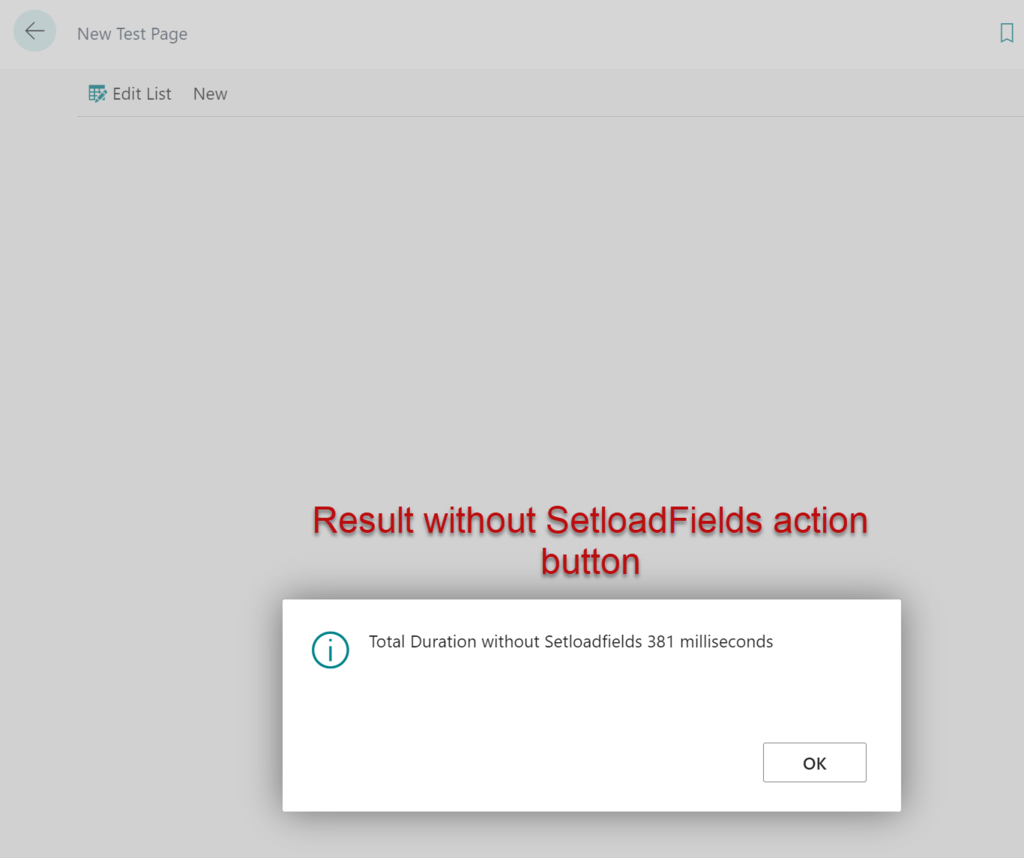
SetLoadFields[/caption]
 SetLoadFields[/caption]